
Choose your source
Pick device contacts or bring a CSV, .imap, or GeoJSON file.
FOR IPHONE & IPAD
Turn your contacts into a map, your pins into a plan, and your day into a trail worth remembering.
Previewing iMap 6.1 · Submitted for App Store review.
Availability will be announced after approval and release.
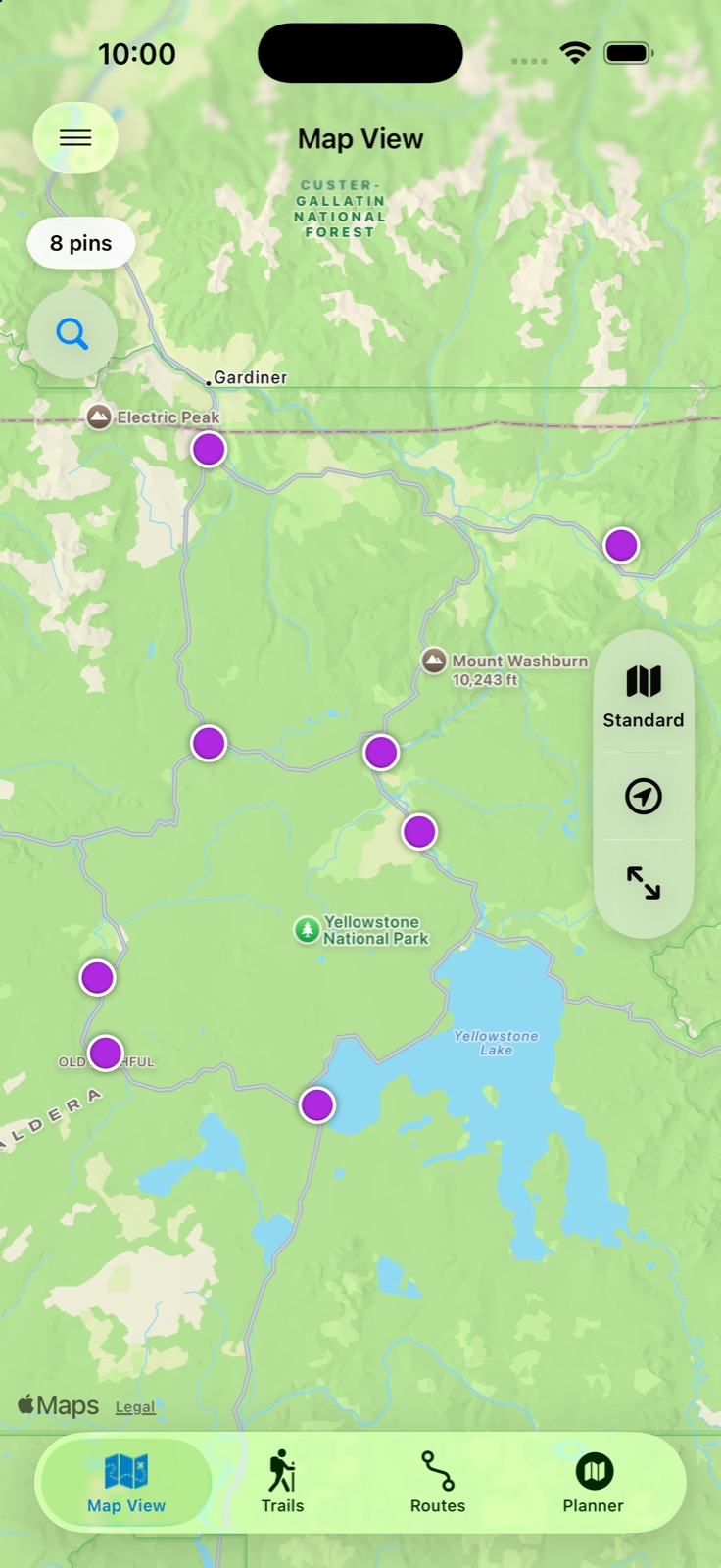
ONE APP. MORE POSSIBILITIES.
For field visits, neighborhood discoveries, road-trip stops, and all the places you want to come back to.
Bring contacts and imported lists into one view. See the places behind the names.
ExploreChoose a start, add stops, save a route, and open each leg in Apple Maps.
ExploreRecord GPS trails and revisit the places you explored, one breadcrumb at a time.
ExplorePhotos, voice recordings, and field notes belong with the place they describe.
ExploreLook around a pin or your origin for food, charging, lodging, and useful services.
ExploreUse reusable filters, custom fields, and color-coded pins to work with your list.
Explore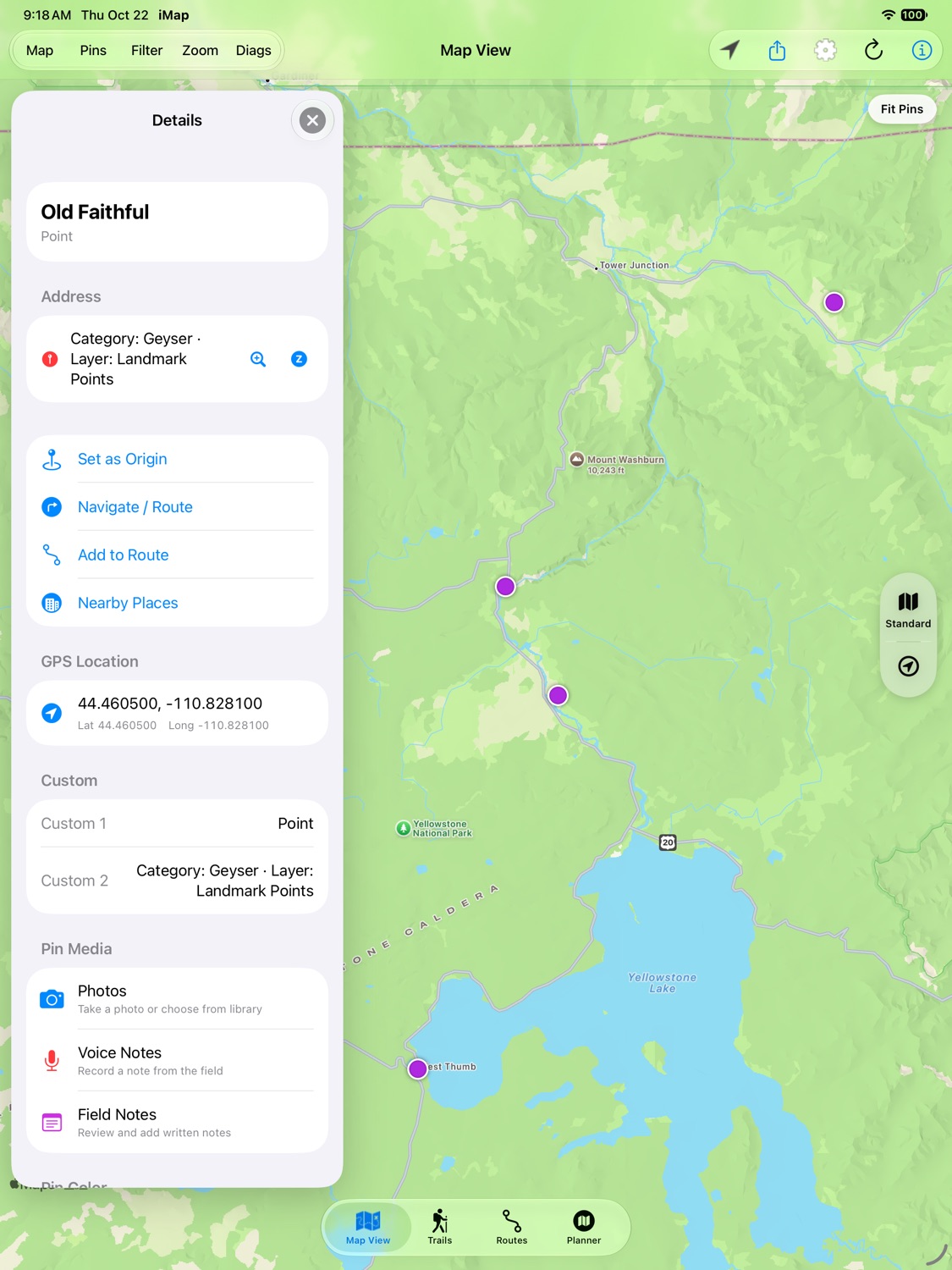
THE DETAILS MAKE THE DIFFERENCE
Keep a place’s details close, then decide what comes next: a visit, a note, a nearby search, or a route.
YOUR FIRST MAP STARTS HERE
Pick device contacts or bring a CSV, .imap, or GeoJSON file.
Show your pins, review their locations, and filter the list for today.
Add stops to a route or record a trail as your day unfolds.
BEEN HERE BEFORE?
Your history matters. Find guidance for older .imap files, backups, and the difference between iMap and iMap HD purchases.
A LITTLE GUIDANCE GOES A LONG WAY
Start with a walkthrough, or reach a real person when you need help.